My second digital camera was a Sony Mavica FD83—that is, if I recall correctly; googling around, I see that it might have been an FD81. Either way it was a step up from the Mavica FD5 it replaced. At least, I thought it was.
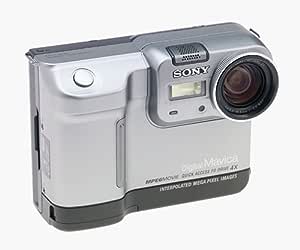
Like the FD5, it saved JPEGs to an internal 3.5” floppy drive; but the FD83 had two big improvements.
- It had a 10x zoom, which was amazing.
- It took 1-megapixel images! Three times as many pixels!
Alas, it was the increase in resolution that was its undoing. The FD5 could get 24 or 30 shots on a single 3.5” floppy disk; at its best quality setting, the FD83 could get maybe 7 shots.
To put it another away, I could pack up the FD5 for a day of shooting, bring 10 floppies (I had a little belt pouch for them) and bring home up to 300 or so pictures. Shooting with the FD83, I could only bring home 70.
For vacation shooting, that was a real come down…so of course I turned the quality to its lower setting so I could get maybe 20 images per disk.
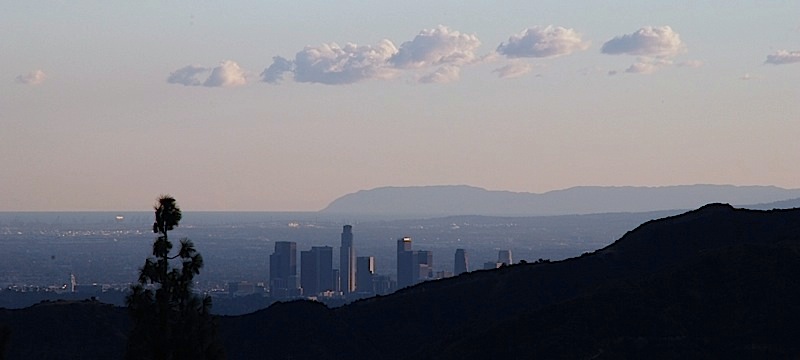
This, alas, was a huge mistake. I first noticed how bad a mistake it was at Bryce Canyon in Utah, when I took this beautifully composed shot.

You notice those wavy lines around the branches? The ones that look almost like heat haze? Those are JPEG compression artifacts. JPEG is a lossy format, and if you compress the image too far it looks lousy.
Or maybe you can’t see them; current software is making the picture look far better than than it has any right to. It didn’t look nearly that good back in the day. But here’s a close up.

I discovered this standing on the rim of Bryce Canyon, where I looked at the captured image on the back of the camera and tried to figure out what was wrong with my beautiful new camera.
Sigh.
 The View from the Foothills