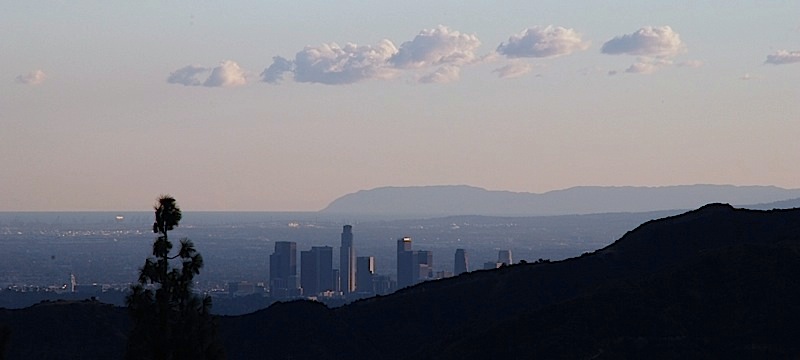
A couple of weeks ago, Jane and I went down to the Getty Center in Los Angeles. If you’re not familiar with the Getty, it’s a sort of an art museum, sort of a public gardens, and sort of an interesting pile of architecture. Among (many) other things, the Getty has a massive collection of photographs; and though I didn’t really hope to see any of them (the art galleries proper are rather small) I figured the museum bookstore would have a neat photography section. Also, I hoped to take some nifty pictures of the grounds with my new camera. We didn’t have as much time as I’d have liked, but I did get some good shots…or so I thought until I got home.
One of the differences between the Nikon D80 and my old camera is that there’s no live LCD–you have to look through the viewfinder. (“Have to”! “Get to” would be more accurate.) The LCD is used for menus, which I don’t use all that much while I’m out shooting, and for reviewing the pictures you’ve taken. Reviewing them is neat, but extremely limited. You can tell if a shot is egregiously awful…but a shot that looks good on the LCD, that is exposed properly and well-composed, might still look awful when you see it full-size on your computer screen. Consequently, I don’t tend to look at the D80’s LCD all that often, or I’d have noticed the problem quicker.
Not to put too fine a point to it, I had a horrible problem with over-exposure–not by a little, but by an awful lot. Most of the shots were simply unusable; some were exposed properly; and some few were over-exposed, but in an interesting way. Here’s an example:

What you’re seeing are a couple of giant “bouquet” shapes made of steel rebar with bougainvillea planted inside so that it spills out the top. I was trying to get the colorful tops along with part of one the Getty buildings and some sky; instead I got what you see. But why was I having so many exposure problems? I’d been experimenting with manual exposure and different ways of metering, so I assumed it was my fault, made a note that I’d have to be more careful in the future, and moved on.
The next Friday I went to my son’s soccer game, and took a bunch of pictures using semi-auto exposures (shutter priority or aperture priority), and again, many of them came out slightly or horribly over-exposed. I was nonplussed: in semi-auto mode, the camera sets the exposure; it surely ought to be able to do a better job. I got on-line at photo.net, and with my friend Ted the Test Lead, to ask about what I was seeing. Both Ted and the gang in the on-line forum eventually nailed it: it wasn’t just me, there was a problem with the camera or lens–and the evidence pointed to a sticky lens diaphragm.
When you take a picture, you need a certain amount of light to expose it properly. This gives you a choice: you can let a lot of light through a large hole for a short time, or a little light through a small hole for a longer time. The size of the hole is called the aperture; the length of time is the shutter speed. The mechanism that controls the aperture is the lens diaphragm; and the consensus was that sometimes the diaphragm wasn’t closing to a smaller size when it was supposed to, that it was getting stuck part way.
That seemed to explain what I’d been seeing; so I went out that afternoon, and started taking some test pictures. What I found surprised me. The pictures I took with a wide-open aperture were fine; the pictures I took with a smaller aperture were over-exposed. The smaller the aperture, the worse the over-exposure. It began to look like the lens wasn’t stopping down the aperture at all! Quickly conjectured, quickly tested. The D80 has a depth-of-field preview button, which stops down the aperture to the current setting (the aperture is usually wide-open except when you’re actually taking a picture). I stopped it down to F/22 (which is very small), and pressed the DOF preview. No change. Nothing. Suddenly, it all became clear–the only pictures I’d taken that worked over the previous week were those taken with the aperture at or near wide-open.
The folks at Samys Camera were very good about it, and swapped the lens for one that works properly; the salesguy said he’d never seen such a thing (with that lens, anyway), and he looked honestly shocked.
So, problem solved!
Well, maybe. I now have a lens that’s working the way it’s supposed to, and that’s a very good thing. It turns out, though, that the D80’s “matrix metering” system does tend to over-expose by about 2/3 of a stop in some circumstances. The conjecture is that it’s a marketing thing, with the intent of making high-contrast scenes look more “punchy”; the less expensive consumer-oriented D50 does the same, but the more expensive D200 (their low-end pro DSLR) does not. I’ll need to get used to that…or perhaps I’ll just experiment with spot and center-weighted metering.
Man, have I got a lot to learn!


I have a new d80 too and though I have just gotten started have noticed that most of my photos are over exposed. Your problems scare me a bit! I read many reviews before buying, but did not see this problem. Hope you will keep your readers updated.
Roger
LikeLike
Roger, you might take a look in the Nikon D50/D70/D80 forum at dpreview.com; there were a number of threads about this last week. The two general suggestions I got were to set the exposure compenstation to -2/3 for high contrast images, and to use center-weighted metering rather than matrix metering. I’ve not tried either yet; but on the other hand I’ve not had much time to get used to having a lens that works, either, and I’m not sure how much of a problem it really is.
LikeLike
My D80 over exposes on Matrix metering also – as much as one and a half stops. Using centre weighted metering or exposure compensation defeats the purpose of the feature as outlined by Nikon in their user manual. Program/ matrix mode is supposed to be the set and forget mode (P&S). Nikon need to admit this is a problem and fix it.
LikeLike
It really depends on the scene. It seems to happen when the camera decides that the subject is in shadow–it definitely exposes for the shadows in that case. It can be thrown off by scenes with lots of non-shadow blackness. But I’m still trying to figure it out; and I’m experimenting with spot metering.
LikeLike
Unbelievable. This is EXACTLY the problem I was having. Some of my photos – the ones taken in bright light were coming out horribly, terribly overexposed. The ones taken in low light conditions weren’t overexposed at all. It’s the LENSE. Thanks – I would NEVER have figured this out without you.
LikeLike
Will,
I thought that was my problem as well. I thought the camera was simply exposing for the shadows in contrasty situations which, to a degree it should. But I am getting terrible, awfully overexposed pictures in situations where lots of other photographers are using digital cameras. I am at the end of my rope and don’t know what to do about it.
LikeLike
Max, what kind of a camera are you using? How are you shooting? (Program AE,
Aperture Priority, ????) There are lots of reasons why you might be seeing what you’re seeing.
LikeLike
I am shooting in Auto mode with my Nikon D80.
LikeLike
Will,
If you have some ideas of things to check in the camera let me know. It’s a brand new camera, and I haven’t used a “real” camera in years, though I majored in photography in college.
LikeLike
Keep in mind that Eggleston, Meyerowitz, and Shore, arguably the three masters of color photography, all overexpose their pictures by about two stops.
Also, you can really do a lot with an overexposed picture, but there’s hardly anything you can do to fix an underexposed picture. I don’t mind a bit of overexposure by default, but not like what I am experiencing now.
I have set my camera to take RAW + basic jpeg photos. When I open up a RAW picture in photoshop I am able to revise the picture’s exposure. With these pictures I am changing the exposure to underexpose by 6 stops (the maximum) and they are still way overexposed.
LikeLike
Can someone please explain to me where the preview depth of field button is? I looked it up in my manual, and there is a completely non-descript picture! I’d appreciate it thanks.
LikeLike
It’s near the base of the lens, on the right-hand side (when you’re behind the camera), below the “Func” button.
LikeLike
Thanks. It doesn’t seem to be the problem. If you have any other ideas let me know, and feel free to email me. I’m pretty frustrated.
LikeLike
I have been a Nikon shooter for 30 years and the matrix exposure has always been exact. My new D80 is horrible, at least one stop over exposed. It is terrible. Have no clue what Nikon has done wrong here except it is almost a useless camera unless you start at exposure compensation minus 1 and go down more from there to get acceptable exposure results.
Nikon please get in touch and help me. The camera is unacceptable, a total surprise of poor results.
E. Lally Lally Photography
LikeLike
Hi. Of course I have the same problem and am on the verge of returning the camera.
I’m a fussy person, and bought this, “non-professional” camera to do work that I cant do on film…Events such as parties, weddings, etc.
The reason I emphasise “professional” is because thats the excuse Nikon had given me so far. Its not a professional camera, so dont expect error margins to be well refined.
I’m sorry, and you’ll all agree, thats bull-dust!!!
I believe its not the exposure meter thats causing the problem, but rather the aperture lever in the camera.
Expose a pic, with the widest aperture of a 50mm prime lens, using M mode.
Then, reduce the aperture to f5.6 and change the shutter speed to creat the same theoretical exposure. My images are always well exposed on widest aperture, and over-exposed with others. And no, I do not have sticky aperture blades. I’m a professional photographer with very expensive f/2.8 lenses that have and still are serving me with my film camera, and the occasional D2X I use in the studio.
I hope for the sake of all D80 owners that Nikon has a plan to fix this!
Thanks.
Martin Zimelka
LikeLike
Same problem here with overexpose.
Got one more problem with the analog exposure display
When using A S or P mode, the reading of my light meter is always on the blinking 0 when focused on a bright light (is it supposed to be on the positive side) no problem with the negative value side.
Can you help me with this….thanks a bunch. Never had this problem on my d40x before.
LikeLike
yes,I feel the same about the over exposure on D80,sometimes I think I should have gone with the Olympus or Pentax,it’s too late now
LikeLike
One thing to note is that in matrix metering, the D80 will give a higher meter weight to the part of the scene under the point of focus. If you are using center focus that can make quite a difference in, say, outdoor shots, most likely the sky will be blown out. There is nothing wrong with the D80’s matrix, its just different, as it exposes to the right, and is tied into the focus point in a way you wouldn’t expect.
LikeLike